Last updated: June 2026.
There's a morning that tells you you've outgrown Jobber. The schedule blew up overnight, two techs called out, a commercial job ran long, and you're sitting there at 7am dragging cards around by hand while the phone rings. An hour later the day is finally planned. Then the first emergency call comes in and you start over.
Jobber is good software. It just wasn't built for the operation you've become.
TL;DR: Companies outgrow Jobber when per-user cost climbs with headcount and scheduling stays manual past roughly 15 jobs a day. The fix is software that fits your dispatch and field workflow, judged on operational fit rather than feature count. This guide covers the signs you've outgrown Jobber, the real cost of staying, how the main alternatives compare, and where Fieldera's AI-configured approach fits.
Why growing field teams outgrow Jobber
Jobber was designed for small residential service businesses. For a two-truck operation, it's quick to start and easy to use. That's exactly why so many companies pick it.
The friction shows up when you scale. More techs, more job types, commercial contracts with SLAs, compliance paperwork that has to follow each job. The software that felt light at 5 people starts feeling thin at 25.
One field service manager we interviewed described what happens underneath all the growth. "For all the corporate machinery, the last mile stayed manual," he said. He was exporting data and refreshing an Excel spreadsheet by hand every reporting cycle, because the system couldn't do it for him.
That's the pattern. The tool keeps running, and your team quietly fills its gaps with spreadsheets, group texts, and side processes. The cost of that patchwork is invisible until you add it up.
The real cost of staying on Jobber as you scale
The subscription price is the part everyone sees. The expensive part is everything around it.
Jobber charges roughly $29 per additional user each month beyond your plan's seat limit. So every hire makes the software more expensive at the exact moment you're trying to grow. Add payment processing fees of 2.9% plus $0.30 per card transaction and a handful of add-ons, and a modest team lands in the $300 to $400 a month range before anyone has optimized a single route.
Then there's the cost nobody invoices you for. If a technician loses 10 to 15 minutes per job fighting a clunky workflow, a busy team burns through hundreds of billable hours a month. Across markets we keep hearing the same complaint about generic tools: one operator told us she was paying €150 per user a month for features her team used only 20 to 30% of.
You're paying full price for a fraction of the value, and paying more every time you hire.
5 signs you've already outgrown Jobber
If two or three of these feel familiar, you're past the fit.
- Building the daily schedule takes over an hour of manual dragging, and it falls apart the moment an emergency comes in.
- Your back office is growing as fast as your field team, mostly to move data between systems.
- Techs drive inefficient routes because there's no real optimization.
- You track jobs, certifications, or compliance in side spreadsheets the software can't hold.
- Per-user billing is climbing faster than revenue.
One operations leader summed up the deeper version of this. "There was a lot of manual steps, a lot of areas where things got handed over, and the back office was doing lighter work that could have been taken care of in the field."
When the software forces that kind of handoff, the team becomes the integration layer. That's the ceiling.
How to choose a Jobber alternative
Most "best Jobber alternatives" lists rank tools by feature count. That's the wrong test. A bigger tool with more features can lock you down just as hard as a small one, only with a steeper bill and a longer onboarding.
The better question is operational fit. Ask four things of any alternative:
- Does pricing scale with your revenue or with your headcount? Per-seat pricing taxes growth. Usage-based pricing grows with the work, not the roster.
- Can scheduling handle your real job complexity? Emergencies, technician certifications, equipment specs, truck inventory. The job is rarely as tidy as a generic calendar assumes.
- Does it connect to your ERP, CRM, and accounting, or sit beside them? A tool that doesn't integrate just creates new spreadsheets.
- Does it bend to your workflow, or make you bend to it? This is the one that decides whether you'll outgrow the next tool too.
Score every option on those four. The feature checklist matters far less than whether the system maps to how you actually run.
Jobber alternatives compared
A neutral look at where the common alternatives land. Pricing and fit change over time, so verify current details with each vendor before shortlisting.
| Tool | Best for | Pricing model | Scheduling depth | Deployment | Workflow fit |
|---|---|---|---|---|---|
| Jobber | Small residential teams (1 to 15) | Per-user, tiered plans | Manual, basic | Self-serve, fast | Fixed to the product |
| Housecall Pro | Residential teams wanting marketing tools | Tiered, per-user above limits | Moderate, some automation | Self-serve | Fixed to the product |
| Service Fusion | Cost-sensitive teams avoiding per-seat fees | Flat-rate tiers | Moderate | Self-serve | Fixed to the product |
| ServiceTitan | Large HVAC, plumbing, electrical | Enterprise, quote-based | Deep | Multi-month | Heavy, configured by vendor |
| Fieldera | Scaling teams that need a workflow-exact system | Usage-based, no per-seat | AI-configured to your rules | 4 to 5 weeks | Built to fit your operation |
Each of these is a reasonable choice for a specific kind of company. The split that matters: most are off-the-shelf products you adapt to, while a few let the operation drive the system.
When the answer is a platform built to fit
If the reason you're leaving Jobber is that your operation doesn't fit a small-team product, jumping to a bigger small-team product usually buys you a year before you hit the same wall.
There's a middle ground between rigid SaaS and a $80k to $150k custom build that takes 6 to 12 months. That's where Fieldera sits.
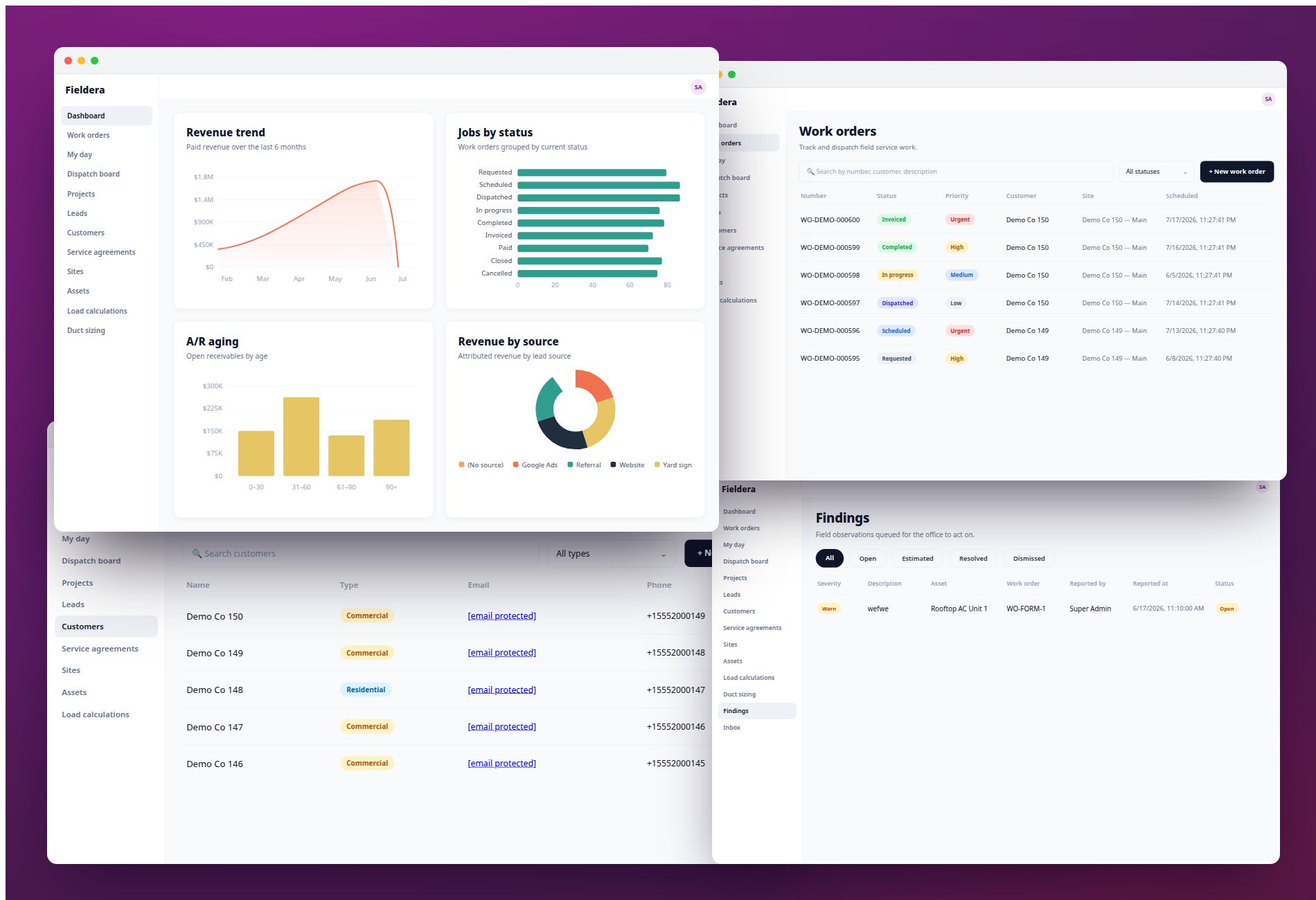
Fieldera is an FSM platform that's AI-configured to your exact workflows, built by FSM engineers here in Brocoders, with 4 to 5 weeks to go live. It uses usage-based pricing, so adding technicians doesn't add cost, and it comes in at a fraction of custom development cost. The standard modules (work orders, scheduling, dispatch, the technician app, inventory, invoicing) ship with every deployment, and the company-specific logic (your dispatch rules, compliance steps, qualification checks) gets configured around how you actually operate.
It's also built to close the last-mile communication gap, the breakdown that happens in the final 20 minutes of a job when dispatch is blind to what's going on at the site. That's the failure most generic tools never address.
Picture a 30-tech operation that left Jobber. Per-seat cost stops climbing with every hire. The morning schedule rebuilds around real constraints instead of by hand. Compliance lives in the system instead of a spreadsheet. The back office stops being the glue between four tools. That's the shape of the change, and it's the outcome Fieldera is designed to deliver. (We can share specifics from real deployments on a call.)
Jobber alternatives FAQ
Why do companies outgrow Jobber? Jobber is built for small residential teams. As a company scales past roughly 15 jobs a day, manual scheduling becomes a bottleneck, per-user pricing climbs with headcount, and teams start tracking work in side spreadsheets the software can't hold.
How much does Jobber cost per extra user? Roughly $29 per additional user each month beyond your plan's seat limit, plus payment processing fees of 2.9% plus $0.30 per card transaction. A small team often reaches $300 to $400 a month before add-ons.
When should you switch from Jobber? When the daily schedule takes over an hour to build by hand, your back office grows as fast as your field team, or per-user billing is rising faster than revenue. Those are the clearest signs you've hit the ceiling.
What is the best Jobber alternative for a growing team? It depends on fit. Service Fusion suits teams avoiding per-seat fees, ServiceTitan suits large trades teams, and Fieldera suits teams that need a workflow-exact system without enterprise timelines. Score each on pricing model, scheduling depth, integrations, and workflow fit.
Is there a field service tool without per-seat pricing? Yes. Fieldera uses usage-based pricing, so adding technicians doesn't add cost. Service Fusion also offers flat-rate tiers that avoid per-user fees.
How long does it take to switch field service software? Enterprise platforms often take 6 to 12 months. Self-serve tools can be days. Fieldera deploys a configured, working system in 4 to 5 weeks.
Is Jobber bad software? No. Jobber is strong for small residential teams. The trouble starts when an operation scales beyond what a small-team product was designed to hold.
The bottom line
Outgrowing Jobber is a good problem. It means you've grown. The mistake is replacing it on feature count and landing in the same place a year later.
Judge the next tool on operational fit: how it prices growth, how it schedules real complexity, how it connects to your stack, and whether it bends to your workflow. If the answer you keep wanting is "software that matches how we actually run," that's worth a conversation. See how Fieldera fits at fieldera.ai.
Fieldera is a field operations platform built by Brocoders, configurable to your exact dispatch rules, contractor processes, and compliance requirements — deployed in weeks, not months.
Talk to us about your operation →