Most field service companies are handed two options for their software. Rent a generic platform and use maybe a third of it. Or commission a custom build that takes 6 to 12 months and costs six figures. Both options ask the operator to give something up: either the fit, or the time and money.
Here in Brocoders we wanted to test whether that tradeoff still holds. So we ran an experiment. We set out to rebuild a complete home services and HVAC operating system, the kind of platform a company like ServiceTitan offers, using Fieldera. We gave the team one week. It took 6 days.
This article breaks down exactly what a full field service platform contains, using that build as the example. It is a useful map whether you are evaluating off-the-shelf tools, weighing a custom project, or simply trying to understand what your software is supposed to do for you.
The experiment, and why we ran it
Fieldera is our field operations platform, configured by AI agents to match how a specific business actually runs. We are early, and we are taking on a small number of design partners. Before we put that in front of operators, we wanted a clear, honest answer to one question: how much of a real field service platform can Fieldera stand up, and how fast.
One of our developers wrote the requirements file. It was two lines. "Build a field service management platform." "Make no mistakes." Six days later, the system existed and worked end to end. Here is what was inside it.
The anatomy of a field service platform
A platform like this is bigger than the screens a technician taps through. Under the surface, it is a structured system of records, actions, permissions, and connections. The build came out to roughly 113,000 lines of code, organized into the parts below.
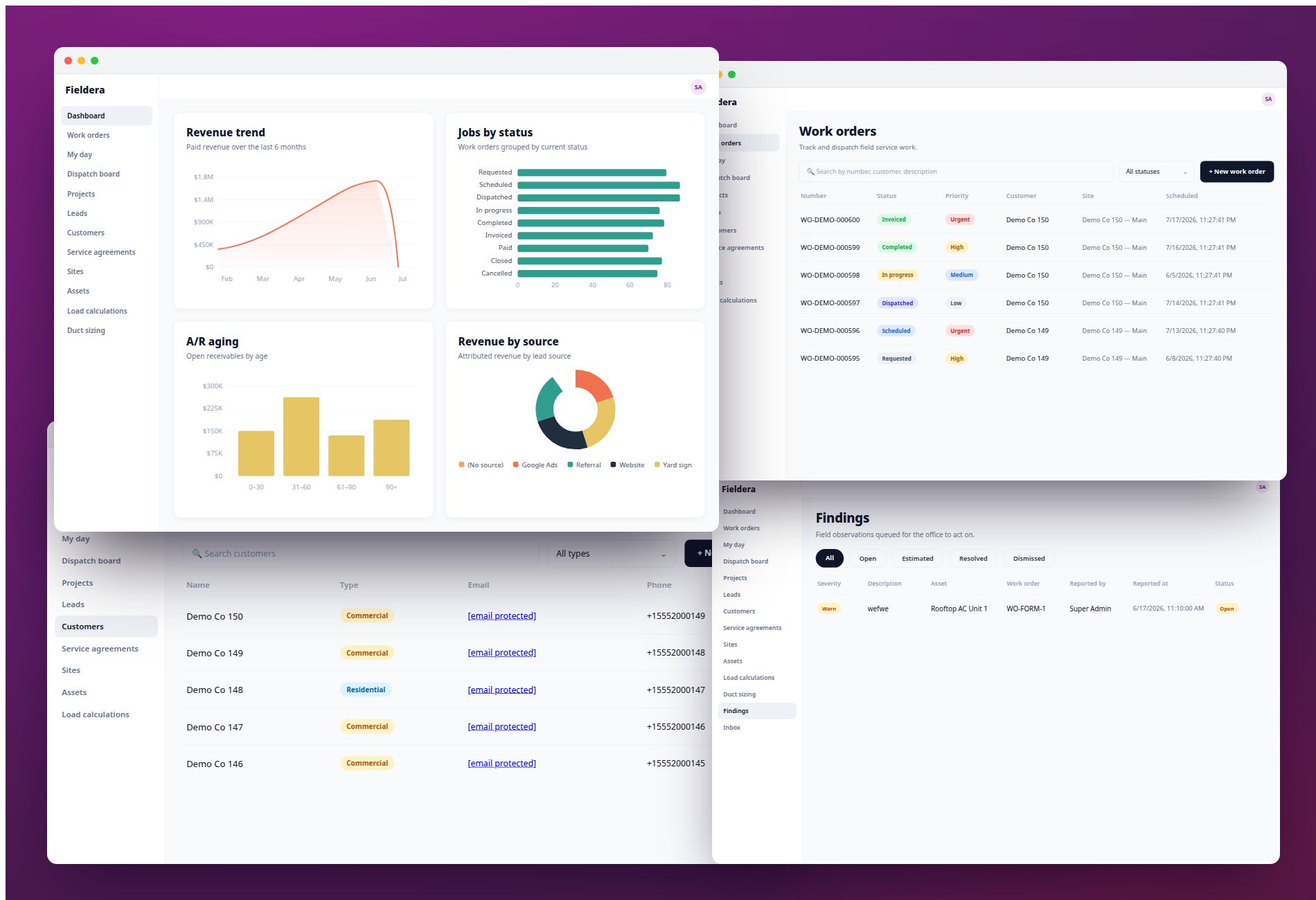
The information it manages. The system stores 82 categories of records: customers, sites, equipment, jobs, estimates, invoices, payments, parts, memberships, and more. Think of 82 labeled filing cabinets, each holding one kind of thing. This is the backbone of any field operation, because every schedule, invoice, and report depends on clean, connected records underneath.
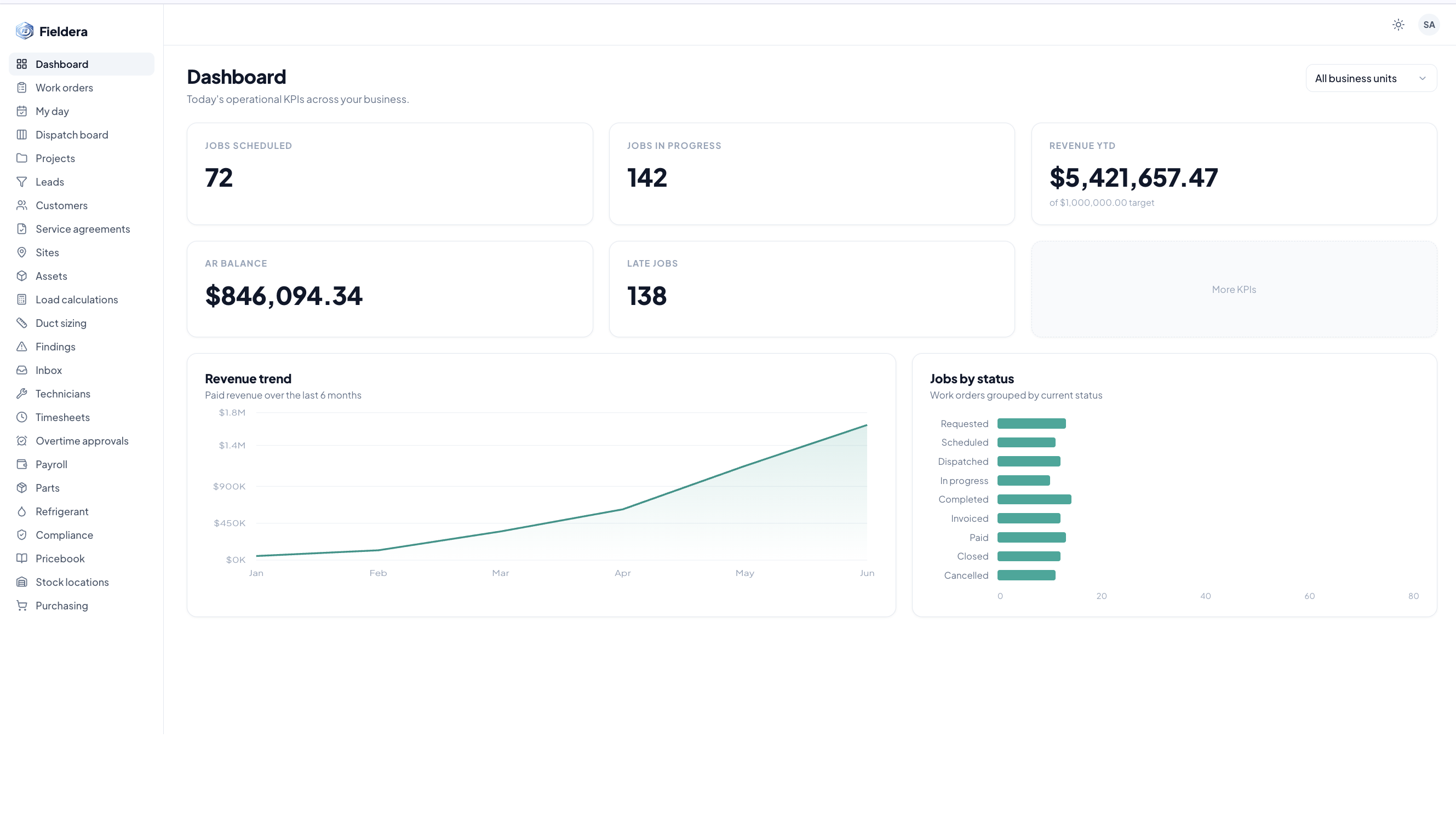
What it can do. The platform performs 345 built-in actions, grouped into 74 feature areas. These are the operations a business runs every day: book a job, assign a technician, send an invoice, take a payment, renew a membership. The breadth here is what separates a real operating system from a scheduling app with extras bolted on.
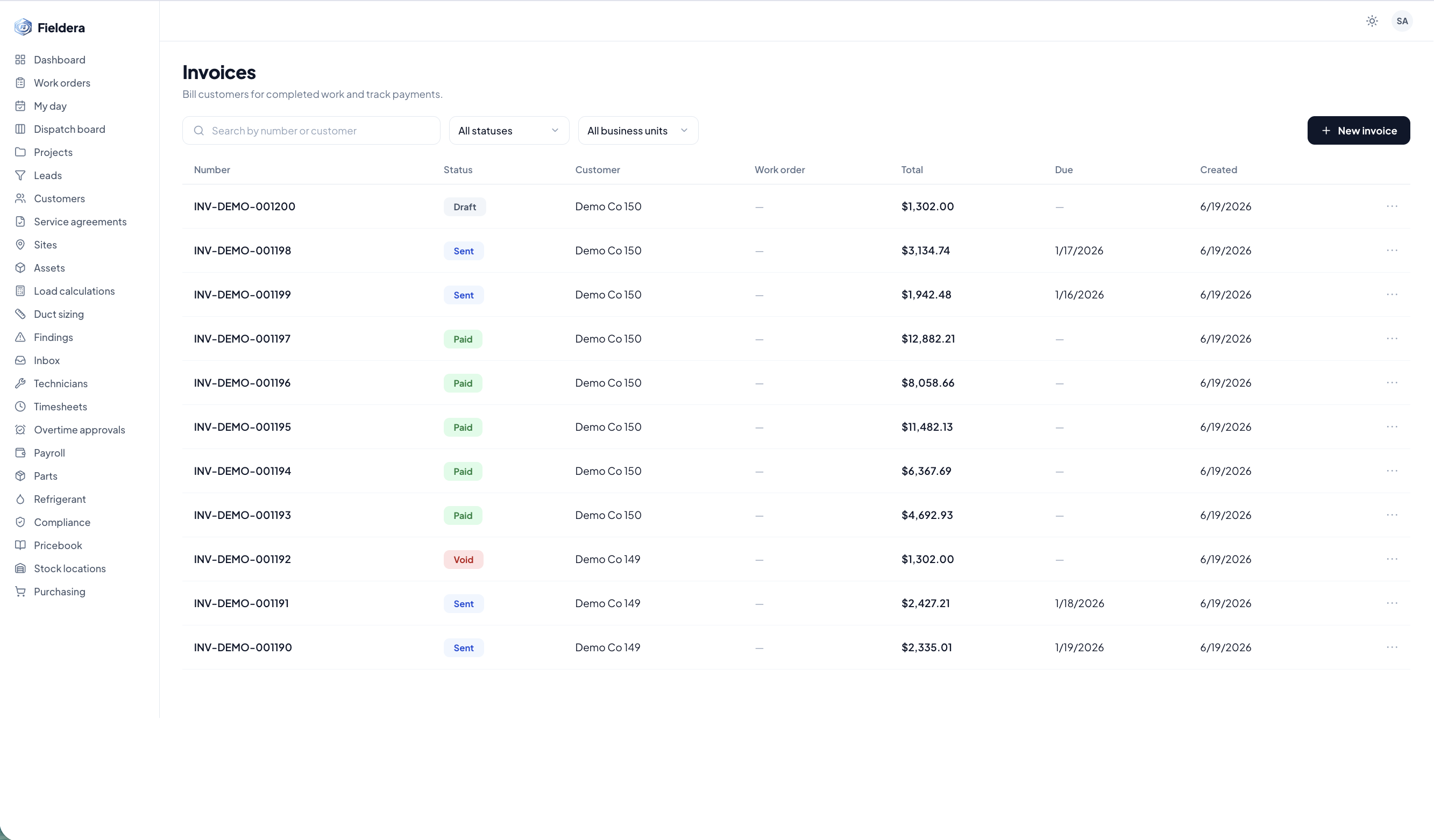
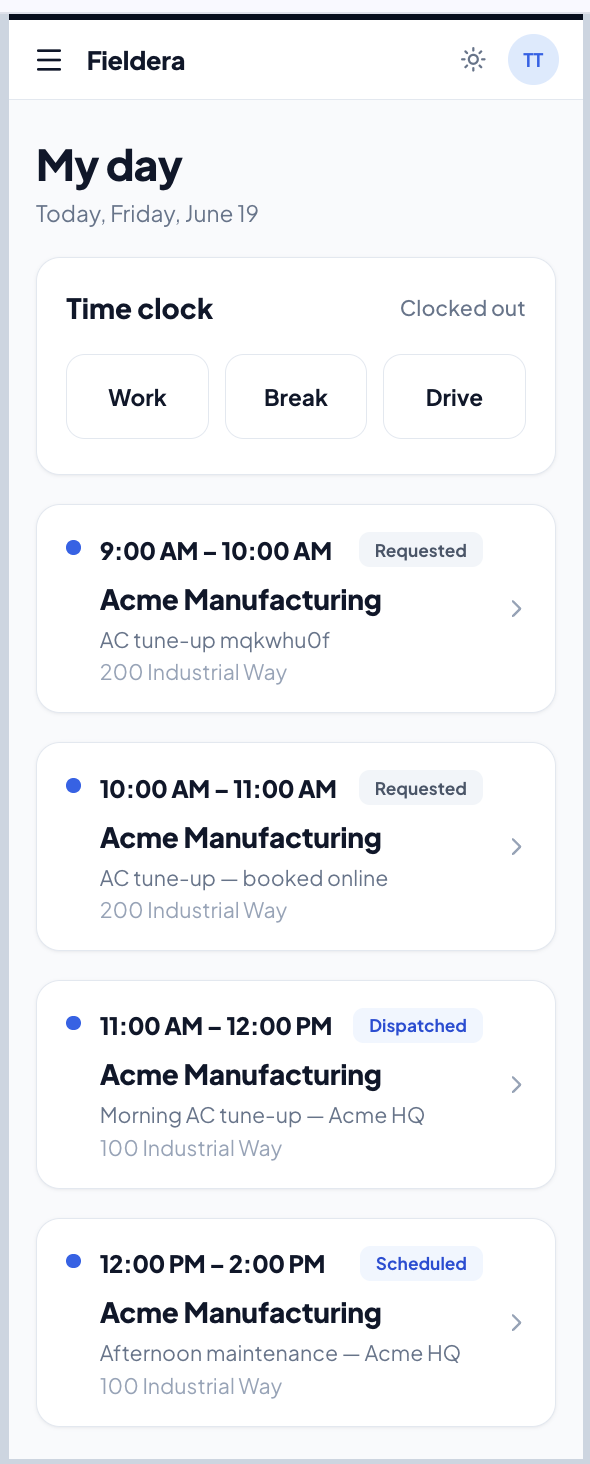
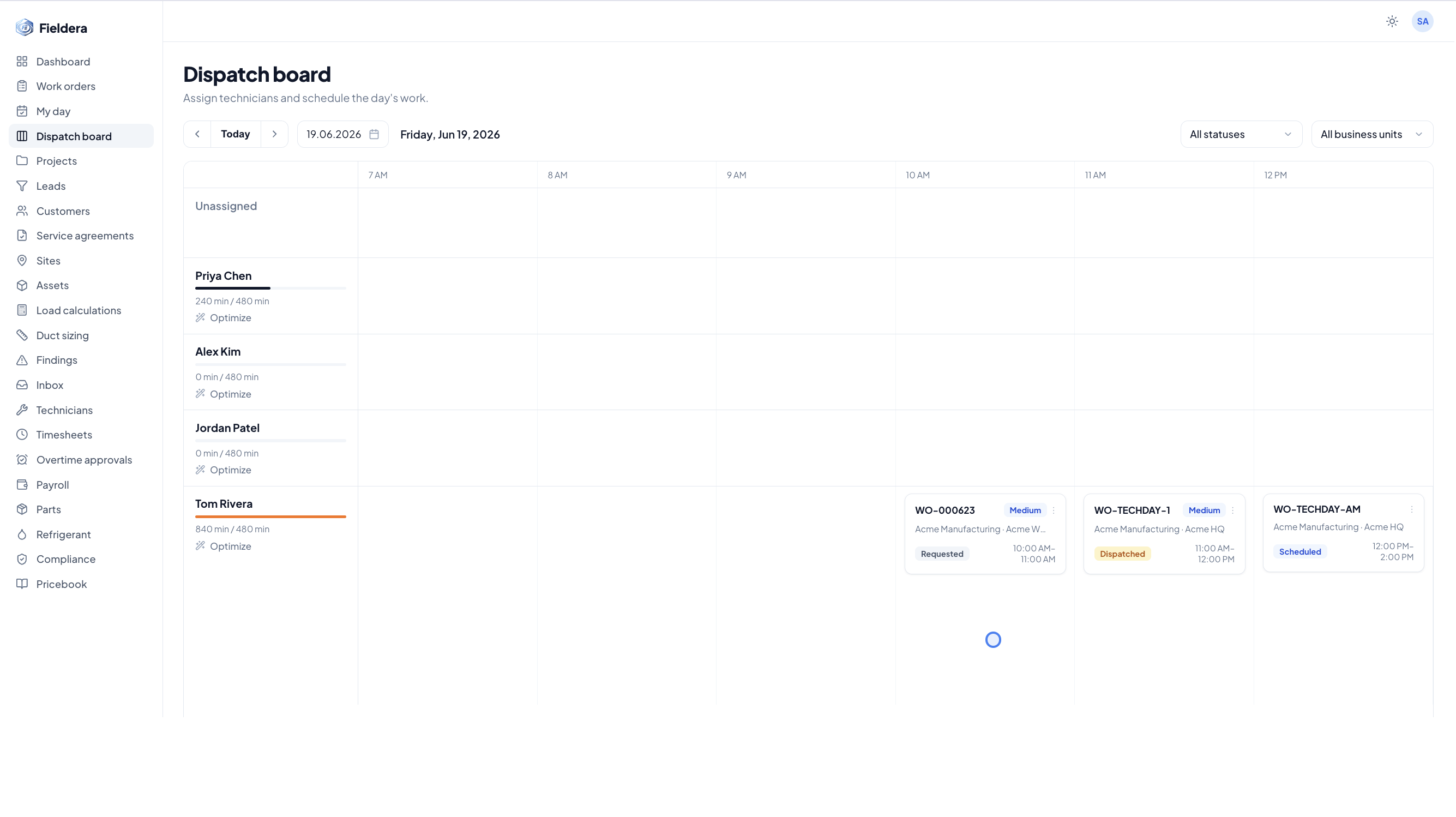
What people see and use. The system presents 90 screens across 37 areas, assembled from 372 reusable interface building blocks. That includes the scheduling board, the customer list, work orders, invoices, reports, the technician phone app, the customer portal, and online booking. Reusable building blocks matter because they keep the experience consistent and make later changes fast.
Who can use it, and what they can touch. The platform supports 5 user types: administrator, office staff, dispatcher, technician, and customer. Each role sees only what it should, governed by 135 fine-grained permission switches. Permissions at this level of detail are what let a dispatcher run the board, a technician see only their jobs, and a customer access just their own account.
The journeys it supports. The build covered 4 complete user journeys, each with its own guided demo: office and dispatch running the business day to day, the technician working the app on a phone, the dispatcher managing the live scheduling board, and the customer booking online through a self-service portal. These four journeys are the full loop of a field business, from the first booking to the final payment.
What it connects to. The platform integrates with 3 outside services: QuickBooks for accounting, Twilio for calls and texts, and Stripe for card payments. It also runs 4 automatic helpers on its own, including recurring membership billing and scheduling maintenance visits. Integrations and automation are where hours get saved, because the work happens without anyone moving data between systems by hand.
The documentation behind it. The build produced 3.86 MB of written documentation across 81 files, so the system is understandable and maintainable rather than a black box.
What this means for your operation
The lesson here is straightforward. Building software shaped exactly around one operation used to be the slow, expensive path. That has changed. With the right platform and AI-assisted configuration, a system fitted to your dispatch rules, your compliance steps, and the way your technicians actually work can be delivered in a fraction of the traditional time and cost.
For an operator, that reframes the whole decision. The hard part is no longer getting custom-fit software. Staying on a rigid, generic platform you only half use is becoming the outdated choice. When fit is fast and affordable, paying every month for features you never touch stops making sense.
How Fieldera turns this into your platform
The 6-day build was an internal proof of what the technology can do. A real client deployment runs on a more deliberate timeline of about 4 to 5 weeks, because the value comes from getting the fit right, not just generating code quickly.
That timeline covers the work that actually makes software effective: mapping your current workflows, identifying integration points with your existing accounting and CRM systems, configuring the modules and custom rules your operation needs, and going live with team training and support. Fieldera ships the standard field service modules with every deployment, then AI agents configure the company-specific pieces around your processes: compliance workflows, permit and safety logic, and the dispatch and scheduling rules your coordinators actually follow.
Three things stay true throughout. The platform is built by a team that has designed real field service systems, so the domain knowledge is already inside it. You own the system, and it changes when your operation changes, with no waiting in a feature request queue. Pricing is usage-based, so growth does not get more expensive with every new hire or contractor.
What you can take from this
Use the breakdown above as a checklist. When you evaluate any field service tool, look past the demo screens and ask what it manages, what it can do, who it serves, and what it connects to. A platform that covers all four, and fits how you already work, is the one that earns its place in your operation.
We built a complete one in 6 days to prove the approach is real. Now we are looking for a few field service companies to build their exact platform with us as design partners. If your operation has outgrown your current software, we would like to talk. Reach us at talk@fieldera.ai.
Fieldera is a field operations platform built by Brocoders, configurable to your exact dispatch rules, contractor processes, and compliance requirements — deployed in weeks, not months.
Talk to us about your operation →