Jill Frattini coordinates service operations at Ohio Heating in Columbus. A few years ago, her company was paying $340 per month for field service management software. Her team used roughly 30% of the features. The other 70% — pool cleaning workflows, lawn care invoicing modules, pest control scheduling logic — sat untouched while Ohio Heating paid full price every month.
"Feature bloat you pay for but never use," she called it.
This is the problem that most locksmith software reviews in 2026 are not designed to help you avoid. The typical market overview ranks platforms by how many features they include. That metric measures something a locksmith dispatch manager never asks about on a working Tuesday. It does not measure whether the software handles emergency rerouting at 11 PM, matches technicians to jobs by certification level, or gets an invoice out of the door before the van leaves the site.
This guide evaluates locksmith software by the metrics that actually matter to the people who use it daily: workflow fit, operational friction, pricing model, and total cost of ownership. It also covers what to do with the institutional knowledge your best technicians carry in their heads — because that problem is connected to your software choice in ways most buyers don't see until after they've signed a contract.
What is locksmith software?
Locksmith software is field service management (FSM) technology configured to handle the specific operational demands of a locksmith business: emergency dispatch, technician scheduling, job documentation, invoicing, and, for larger operations, contractor coordination across multiple service areas.
The category splits into two distinct types. Purpose-built locksmith platforms are designed around trade-specific workflows from the ground up, including key and lock code databases, automotive fob coding records, and compliance documentation for commercial security work. Generic FSM platforms — tools like ServiceTitan, Jobber, and Housecall Pro — were built for the broader field service market and adapted for locksmith use, which means they cover the general scheduling and invoicing functions but may not accommodate the trade-specific workflow logic a locksmith operation requires.
Paul Graham, owner of Capital Safe and Lock in New Brunswick, described the operational depth that locksmith businesses carry. His team's expertise spans master key system design, automotive key fob coding, commercial security audits, safe installations, and access control systems. Each of those skill sets requires specific procedures, specific documentation, and specific technician qualifications. Generic software built for "field service" has no native way to capture or surface that specificity at the point of dispatch.
"What knowledge in your business exists only because the right person happened to be in the room?" Graham wrote.
That question applies directly to software selection. The platform you choose either accommodates the operational complexity your business runs on — or it forces your experienced people to compensate for the gaps manually.
The locksmith software market in 2026: size, growth, and what the numbers miss
Market research firms covering the locksmith software segment publish growth forecasts that range from $1.2 billion to $4.7 billion — for the same base year, using the same market definition. The inconsistency is not unusual for a niche vertical where primary data is scarce and methodology goes undisclosed. What it does signal is that the market sizing numbers circulating in most overviews of this category are not a reliable basis for any decision a locksmith business actually needs to make.
The figure that matters is not the market size. It is the gap between what the platforms in this market were built to do and what a specific locksmith operation actually requires. That gap is where the daily friction cost accumulates — and it is not visible in any growth forecast.
The landscape of available platforms breaks into three operational categories. Purpose-built locksmith platforms carry trade-specific functionality that generic tools do not: key blank inventory management, transponder tracking, lock combination generation, and key programming workflows. Generic field service management platforms cover scheduling, invoicing, and dispatch for a broad field service audience, with locksmith operations as one of many verticals they serve. And key-cutting and programming tools — Ilco KeyPro, Silca Futura — solve a specific function within the locksmith workflow without covering the broader operational stack.
The table below maps the principal platforms to the operational context where each performs strongest. It is a workflow fit reference, not a feature ranking.
| Platform | Best for | Key strength | Ease of use |
|---|---|---|---|
| SuccessWare 21 | Locksmith-specific operations | Key blank inventory, transponder tracking, combination generation | 8.7/10 |
| Housecall Pro | Small-to-mid-size businesses | Scheduling, invoicing, mobile payments | 8.8/10 |
| ServiceTitan | Large multi-tech operations | Marketing automation, business intelligence, revenue management | Enterprise-grade |
| Jobber | Growing SMBs | Quote follow-up automation, client self-booking | Intuitive |
| Service Fusion | Mid-market operations | QuickBooks integration, CRM, dispatching | Moderate learning curve |
| Ilco KeyPro / Silca Futura | Key cutting workflows | Key programming and duplication precision | Specialized |
Reading this table as a feature comparison misses the point. SuccessWare 21 carries locksmith-specific depth that Housecall Pro does not offer and does not need to, because Housecall Pro is not positioned for operations where transponder tracking and combination generation are daily functions. ServiceTitan's enterprise-grade capability is genuine — and so is the pricing model that makes it inaccessible for most operations under 30 technicians. Ilco KeyPro and Silca Futura solve a specific workflow problem. They are not FSM platforms. A locksmith operation evaluating the full operational stack needs to evaluate them separately, against the scheduling and invoicing platform it selects.
The platform a locksmith business should evaluate is the one built closest to the workflows it actually runs — not the one with the most features, the largest market share, or the highest placement in a sponsored ranking. The market numbers do not tell you which platform reduces your dispatch time or eliminates the 30% of features you will fund but never use. The following sections do.
The 30% utilization problem — why feature-count rankings fail locksmith businesses
Most locksmith software reviews are organized around a feature checklist. The more boxes a platform ticks, the higher it ranks. That approach produces a useful shopping list for a generic field service company. For a locksmith operation with specific dispatch logic, technician certification requirements, and trade-specific documentation needs, it produces a ranking of platforms you'll pay full price for while using less than a third of what you're billed.
Pendo's product research found that 80% of software features are rarely or never used. Approximately 12% of features generate 80% of the daily usage that actually runs the business. The rest is overhead — features built for customers in adjacent verticals, retained on the roadmap because removing them would require reconfiguring pricing tiers.
Frattini's $340-per-month calculation is not an outlier. It is the predictable outcome of buying a platform designed for the broadest possible field service audience and applying it to a specific trade with specific requirements. The locksmith business pays for the full stack. The dispatch manager uses the scheduling module, the invoicing module, and occasionally the job notes field. Everything else funds someone else's product roadmap.
The practical implication: a feature-count ranking cannot tell you whether a platform handles your actual workflows. It can only tell you how many workflows a platform was built to handle for someone, somewhere.
The real cost of bad workflow fit — calculating operational friction
The subscription fee is the visible cost of locksmith software. The operational friction is the cost that doesn't appear on the invoice.
Daniel Vasilevski, owner of Pro Electrical, quantified what friction costs at the job level. "The biggest hidden cost is not the monthly fee for an off-the-shelf tool," he said. "The real cost is the daily friction added to your workflow."
The calculation is straightforward. A technician who loses 10 to 15 minutes per job entering data into fields that don't match the actual workflow — re-entering job notes in a format the system requires, navigating screens built for a different trade, working around the absence of a certification field — accumulates that loss across every job in the day. "If a technician wastes 10 or 15 minutes on every job just trying to input data correctly, those lost times quickly add up to several hours of wasted labor that is paid, simply because of bad software."
For a locksmith operation running 25 jobs per day with technicians earning $35 per hour, 12 minutes of friction per job produces approximately $91,000 in paid, unproductive labor annually. The software subscription that caused the friction might cost $30,000 per year. The friction costs three times as much as the tool that generates it.
The formula:
Annual friction cost = minutes lost per technician per job × hourly rate × jobs per day × contractor count × 250 working days
Running that number against actual operations resets the framing of the software selection entirely. The comparison shifts from subscription price to total operational cost — which is where the real decision lives.
Locksmith scheduling software — what dispatch actually requires
Generic FSM scheduling was built around a predictable workflow: a customer books an appointment, a technician is assigned, the job is completed. Locksmith dispatch does not reliably follow that structure.
Emergency lockouts interrupt planned routes without notice. Commercial rekey jobs require specific certifications that not every technician on the roster holds. Access control installation and safe work require different equipment and qualifications than a residential lockout. Multi-technician operations across large service areas add route complexity that a standard scheduling grid cannot resolve without manual intervention.
When scheduling volume increases and complexity compounds, the dispatcher stops managing the schedule and starts managing the fallout. "By the time someone at the office finds out, you're not doing schedule management anymore. You're doing damage control," said Emily Demirdonder of Proximity Plumbing — a description that maps directly to what locksmith dispatchers experience during high-volume periods.
Locksmith scheduling software should handle emergency job insertion without requiring a rebuild of the day's dispatch, surface technician certifications and equipment at the point of assignment, and provide route visibility that accounts for actual drive time rather than a service area circle on a map. These are not premium features. They are the baseline requirements for dispatching a multi-technician locksmith operation at scale.
Locksmith invoicing software — from job completion to payment
Locksmith jobs are typically same-day, often completed in under an hour. The commercial logic of those jobs requires that invoicing follows the job closely — delays between job completion and invoice generation create cash flow gaps and increase the probability of disputes over what was agreed on-site.
The administrative overhead that follows a short job is often disproportionate to the job itself. At SafeRacks — a garage rack installation company managing 50 or more independent contractors across eight states — the pattern was consistent: "Installing a rack takes 30 minutes — but 30+ minutes just to do the notes and invoicing." A 30-minute locksmith job followed by 30 minutes of post-job documentation and invoicing does not represent an acceptable administrative ratio.
Locksmith invoicing software should generate invoices from job data captured in the field, without requiring re-entry at a desk. It should handle the pricing variables that locksmith jobs carry — emergency call-out rates, after-hours premiums, part costs for automotive fob programming — and connect that data to the scheduling record so that the full job history is visible in one place.
The mid-market gap — pricing that penalises growth
Most growing locksmith businesses with 10 to 50 technicians occupy a specific position in the market: past the point where a basic scheduling tool handles the complexity, not large enough to absorb the cost structure of enterprise FSM platforms.
ServiceTitan, the dominant platform in the mid-to-large field service segment, runs $245 to $398 per technician per month in licensing costs alone. A locksmith operation with 20 technicians pays $58,800 to $95,520 per year before counting implementation ($5,000 to $50,000), a dedicated platform administrator ($60,000 to $90,000 annually), and integration fees. Growing from 20 to 50 technicians adds more than $100,000 per year in licensing. The pricing model charges more as the operation grows — at the exact moment the business needs its cost structure to stabilize.
Jobber and Housecall Pro solve the cost problem for smaller operations but hit a ceiling when scheduling complexity, multi-state operations, or contractor coordination outgrow their workflow assumptions. The 20- to 50-technician range — where most expanding locksmith businesses actually sit — is the gap that per-seat pricing turns into a growth penalty.
The pricing model is a component of the software selection decision that most feature-count reviews never address. A platform that charges per technician per month has a structural incentive to ensure you stay on the platform as you grow — the more technicians you add, the more revenue the vendor captures. A usage-based model, where the cost scales with jobs completed rather than headcount, aligns the vendor's incentive with the client's: both benefit when the operation runs efficiently.
Locksmith management software — what the full operational stack covers
A complete locksmith management platform connects scheduling, dispatch, invoicing, job documentation, field communication, and — for operations using independent contractors — contractor coordination and compliance into a single system.
The fragmentation problem is common across field service. "Everything's kinda taped together, and so we just need it all in one place," said Matt Davis of SafeRacks, describing an operation running scheduling, payment processing, and installer coordination across separate systems that required manual bridging.
For locksmith operations, the communication gap at the job site is a specific and recurring failure point. Dispatch knows a technician is in transit. The system does not know if the customer is not answering, the address on the work order is ambiguous, or conditions at the site have changed since the job was booked. "The gap nobody has cleanly figured out is two-way communication at the point of entry to the site," said Eliot Vancil of Fuel Logic. That gap generates re-dispatches, customer complaints, and wasted drive time that no notification template resolves.
Operations using 1099 independent contractor locksmiths face an additional layer that generic FSM platforms were not built to accommodate. ServiceTitan, Jobber, and Housecall Pro were designed for W-2 employee workflows. Contractor split payments — where the job revenue is divided between the company and the independent technician at point of completion — are not supported at the platform architecture level. These platforms cannot add that function without rearchitecting their core payment models, which means it is not on any roadmap.
Before selecting a platform, two questions about data and exit risk are worth addressing directly: what data comes out of the system if the relationship ends, and in what format? Operations that invest years of job history, customer records, and pricing data into a platform with limited export capability are making a long-term commitment their contract may not reflect.
The evaluation framework — how to actually choose locksmith software
Three tests cut through the feature-count noise and surface whether a platform actually fits a locksmith operation.
The workflow fit test. List the five tasks your dispatch manager performs every day. Check how many of those tasks the platform handles without a manual workaround. Any task that requires a spreadsheet running alongside the software, a phone call that the platform should have replaced, or a data entry step that duplicates information already captured elsewhere is a friction cost that compounds daily. A platform covering 60% of daily workflows is a 40% friction tax paid in labor hours.
The pricing model test. Map the cost at your current technician count, at your target technician count in 24 months, and at your target count in 48 months. If the cost curve grows faster than revenue, the pricing model works against the growth you are building toward. A usage-based model — where cost scales with jobs completed rather than headcount — aligns with the operational reality of a growing locksmith business.
The speed-to-value test. How long between contract signing and the first day the software runs your operation? ServiceTitan's documented implementation takes three to six months, with G2 and Capterra reviews reporting six to twelve months in practice. A platform that takes six months to deploy is six months of friction costs the operation continues to pay.
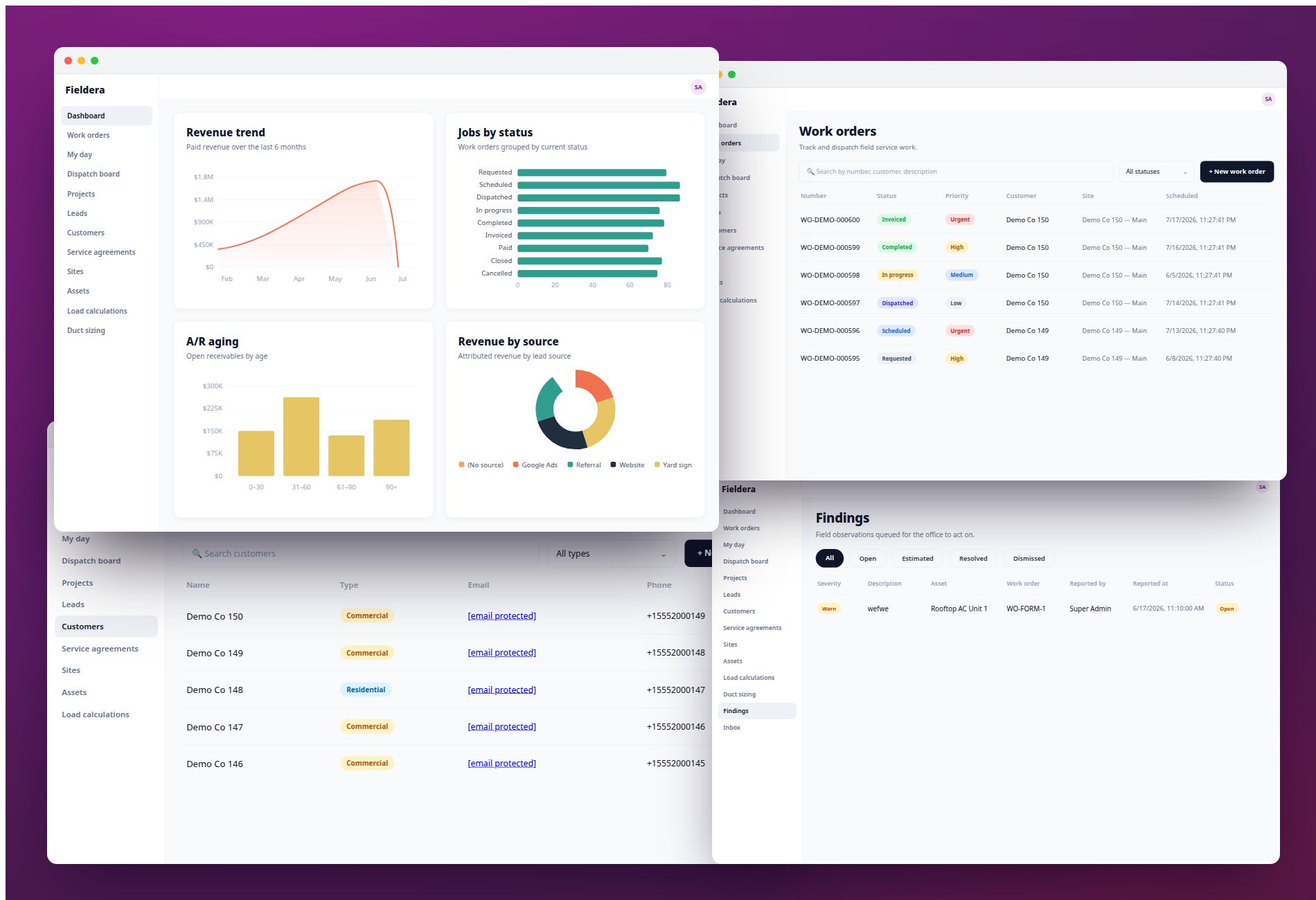
Fieldera is built specifically for the gap these three tests expose. Rather than offering a generic field service platform with locksmith features added, Fieldera starts with an operational discovery: how the business actually schedules, dispatches, documents, and pays — not how a standard FSM assumes it works. The platform configures to those exact workflows. At SafeRacks, managing 50 or more independent contractors across eight states, that configuration reduced scheduling time from 20 minutes per appointment to under five minutes — a 75% reduction achieved not by adding more features, but by removing the workflow friction that the previous system created.
The pricing model runs on a usage-based structure. Adding technicians does not add to the bill. The cost scales with jobs completed, which means the platform's incentive aligns with the operation's: efficiency, not headcount growth.
The operational gap no locksmith software review covers
Every test in this framework — workflow fit, pricing model, speed to value — addresses the friction that bad software creates. None of them address the friction that specialized knowledge creates when it exists only in the heads of your most experienced technicians.
Paul Graham, owner of Capital Safe and Lock in New Brunswick, identified this as the operational challenge that holds locksmith businesses back more reliably than any software problem. His team carries expertise that took years to develop: master key system design, automotive key fob coding, commercial security audits, safe installations, access control systems. None of it lives in a manual. When a new hire joins, the business absorbs the cost of that knowledge transfer for months.
"Hiring someone new should make you faster and increase your capacity over time," Graham wrote. "Right now for most small businesses it makes them slower for months first."
This is not a training problem. It is an operational problem. A new technician dispatched to a commercial rekey without access to the company's actual procedure for that job type is a service risk — a callback, a client complaint, or a rework job at the company's cost. The experienced technician pulled off their own jobs to explain it is a direct labor cost. Both happen on every hire, for months, regardless of which software platform the business runs.
No off-the-shelf locksmith software addresses this. Generic FSM platforms store job data and customer records. They do not capture the procedural knowledge that makes one technician better than another at a commercial security audit or an automotive fob coding job. ServiceTitan, Jobber, Housecall Pro — the feature sets that run across their respective review pages — have no mechanism for making a company's institutional expertise available to a field technician at the moment they need it.
Graham's approach — filming video playbooks and processing them through tools like Descript and Google NotebookLM — addresses the knowledge capture problem. The limitation is that it sits outside the operational system. A new technician mid-job with a question has to search a video library, identify the right segment, and interpret general guidance without knowing whether it applies to the specific client, building type, or job parameters in front of them. The answer is disconnected from the work.
Fieldera addresses this through an AI knowledge add-on that operates inside the platform, not alongside it. The add-on ingests the company's own documentation — procedures, compliance records, technical specifications, job type guidelines — and deploys an AI agent grounded strictly in that proprietary content. Every answer the agent provides cites the specific internal document it drew from, so a technician asking about the procedure for a commercial rekey gets the company's actual procedure, not a general answer assembled from a public knowledge base.
The operational connection matters. Because the add-on integrates with the live job data that Fieldera holds, the agent has context about the active job when answering a question: the client, the job type, the site history, the technician's certification record. The same question asked about two different jobs can return two different procedure references, because the context is specific rather than generic. That is the gap between a searchable video library and a knowledge layer that operates inside the system where the work runs.
The institutional expertise that Paul Graham is capturing one video at a time becomes an operational asset, available to every technician on every job, from day one.
Frequently asked questions
What is locksmith software and what does it do?
Locksmith software is field service management technology configured for the operational demands of a locksmith business: emergency dispatch, technician scheduling and certification matching, job documentation, invoicing, and contractor coordination. The category includes purpose-built locksmith platforms with trade-specific features (key and lock code databases, fob coding records, access control documentation) and generic FSM platforms adapted for locksmith use. The distinction matters operationally: generic platforms cover standard scheduling and invoicing functions but may not accommodate the specialized workflow logic that a locksmith operation requires.
What features should I look for in locksmith business management software?
Evaluate features against your actual daily workflows rather than a comprehensive checklist. The critical functions for a multi-technician locksmith operation are: emergency job insertion that doesn't require rebuilding the day's dispatch, technician assignment by certification level and equipment, same-day invoicing with field-captured data, two-way field communication at the job site, and — for operations using independent contractors — split payment processing and compliance documentation. Run the workflow fit test: list the five tasks your dispatcher performs daily and verify how many the platform handles without a manual workaround.
How is locksmith scheduling software different from general field service management software?
Locksmith dispatch operates under different conditions than the standard field service workflow that generic FSM platforms were built for. Emergency jobs arrive without advance notice and interrupt planned routes. Technician assignment requires matching certifications, not just availability. Commercial security and access control work carries documentation requirements that a generic "service notes" field doesn't accommodate. Generic FSM platforms assume predictable, bookable workflows — the structural mismatch shows up as daily dispatch friction rather than a missing feature on a checklist.
What is access control software and do locksmiths need it?
Access control software manages the installation, configuration, and maintenance of electronic access systems — keycard readers, PIN entry systems, smart locks, and integrated security panels. Locksmiths who provide commercial security services increasingly encounter access control systems as part of standard work: installation, integration with existing hardware, programming, and ongoing maintenance. Whether a locksmith operation needs access control software depends on the service mix. Operations with a growing commercial security division benefit from a platform that stores access control specifications, hardware configurations, and client system records in the same place as standard job history.
How much does locksmith software typically cost?
Costs vary significantly by platform type and pricing model. Generic FSM platforms like ServiceTitan run $245 to $398 per technician per month in licensing, with implementation costs of $5,000 to $50,000 and annual platform administration costs that can add $60,000 to $90,000 for a dedicated admin. Total three-year cost of ownership for a 20-technician operation on ServiceTitan runs $250,000 to $400,000 according to independent analysis. Jobber and Housecall Pro offer lower entry costs but carry workflow fit limitations for operations above 20 technicians. Usage-based platforms charge a one-time setup fee plus a cost that scales with jobs completed rather than headcount — the total cost depends on operational volume rather than team size.
What are the best alternatives to ServiceTitan for locksmith companies?
The alternatives worth evaluating depend on where ServiceTitan's model breaks down for a specific operation. For companies frustrated by per-seat pricing that escalates with every new technician, the key criterion is a usage-based pricing model. For companies frustrated by workflow fit — using 30% of the features while the platform doesn't handle the workflows that matter — the key criterion is configuration depth. Fieldera addresses both: the platform configures to the exact workflows of the specific operation, and the pricing model does not add cost as the contractor count grows. FieldPulse and Workiz serve smaller operations at lower price points. Fieldproxy targets 50-plus-worker enterprises and explicitly positions away from companies under 15 workers.
What is the difference between HSM and software-protected keys in locksmith security systems?
A Hardware Security Module (HSM) is a dedicated physical device that stores cryptographic keys and performs encryption operations in a tamper-resistant hardware environment. Software-protected keys are stored and managed within the software layer of a system, protected by encryption but without dedicated physical hardware. The practical difference is the attack surface: HSMs isolate key material from the operating system entirely, which eliminates the class of vulnerabilities that target software-layer key storage. For locksmiths operating access control systems that involve cryptographic key management — electronic locks, RFID credentials, smart card systems — understanding which protection model a client's existing infrastructure uses is part of the initial security audit.
The feature-count ranking is the industry norm for locksmith software reviews. It answers the question "how much does this platform do?" rather than the question a dispatch manager actually needs answered: "does this platform do what my operation requires?"
Running the workflow fit test, the pricing model test, and the speed-to-value test against any shortlist produces a different set of finalists than a feature checklist. The software that fits the workflow and scales with the business without penalising growth is the evaluation that the current SERP is not providing.
Explore how Fieldera configures to your exact locksmith workflows →
Fieldera is a field operations platform built by Brocoders, configurable to your exact dispatch rules, contractor processes, and compliance requirements — deployed in weeks, not months.
Talk to us about your operation →