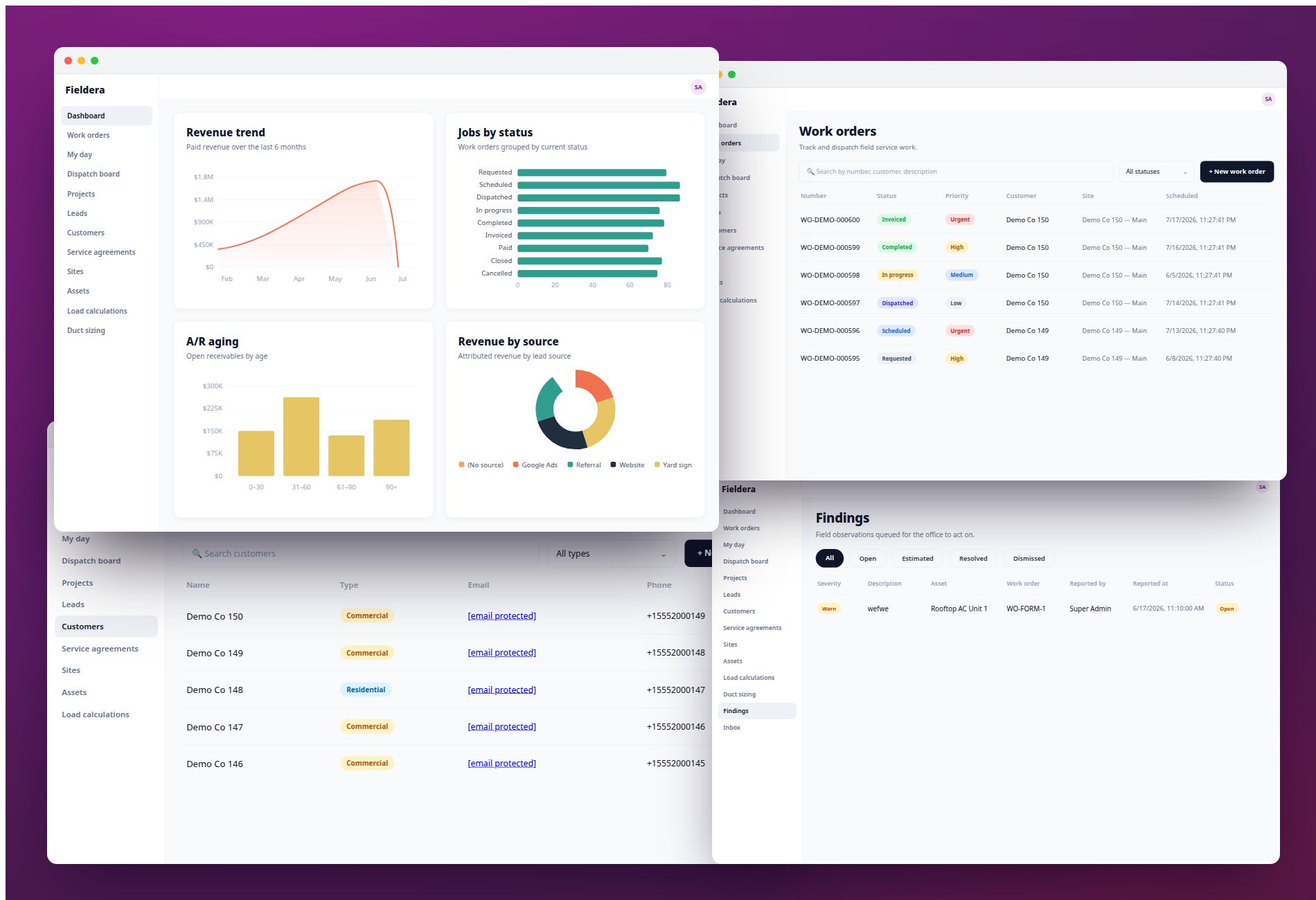
A Fuellogic driver pulls up to a job site. The route was clean. He left on time. The load was right. Then the gate code doesn't work. The site contact doesn't pick up. A fill point is blocked by equipment that appeared overnight.
None of that shows up on the dispatch screen. No alert fires. Back at the office, dispatch is watching a map dot that says "on site."
Eliot Vancil, CEO of Fuellogic, a nationwide on-demand fuel delivery and logistics company, put it plainly: "The gap that nobody has cleanly figured out is two-way communication at the point of entry to the site."
His company has scheduling software. Route optimization. Workflow tools. Those systems stop at the job site boundary, though. What happens in the next 20 minutes — whether the job completes on the first attempt or starts falling apart — is outside anything those tools can see.
This guide covers what workflow management software actually does, where it loses coverage for field operations teams, and what to look for when you're evaluating tools for a team that works on-site.
What Is Workflow Management Software?
Workflow management software automates the sequence of steps in a business process. When one step completes, the system triggers the next: assigns a task, sends a notification, routes a record to the next stage, or escalates to a manager if something is overdue.
The core logic is if/then. Define your process, set the rules, and the software handles the coordination. Teams stop tracking handoffs manually. The system routes the work.
Most platforms in this category share a standard set of features: task assignment and routing, automation rules, process templates, status dashboards, approval workflows, and integrations with CRM, email, and ERP systems.
The market reflects how widely the category has spread. The global Workflow Management System market reached $17.54 billion in 2026, projected to hit $79.26 billion by 2032. It now covers industries from marketing operations and IT helpdesks to HR onboarding and legal review.
Well-known tools include Asana, Monday.com, Wrike, ClickUp, and Microsoft Power Automate. Each has strong functionality for the use cases it was built around.
How Generic Workflow Software Is Typically Used
Most workflow management tools were designed for knowledge workers. People whose work is moving information, making decisions, and coordinating approvals.
A marketing team uses a workflow tool to route content drafts through review. An IT department manages support tickets. HR teams track onboarding steps. Legal teams handle contract approvals.
These workflows share one structural assumption: every step happens at a desk, and the next step gets triggered when someone clicks something. The workflow is the process, and the software enforces it.
That model works well when work is predictable. You define every step in advance, build automation rules around it, and trust that the sequence will hold. Someone submits a form, the system routes it. Someone clicks "approve," the next stage opens.
Field service operations have a different structure.
The Field Operations Workflow Stack
Field service jobs don't end in an approval queue. They end on a job site, in front of a customer, often with variables that weren't in the schedule when the day started.
The failures happen across four specific layers. Each one is a point where generic workflow software loses coverage and field teams fill the gap manually.
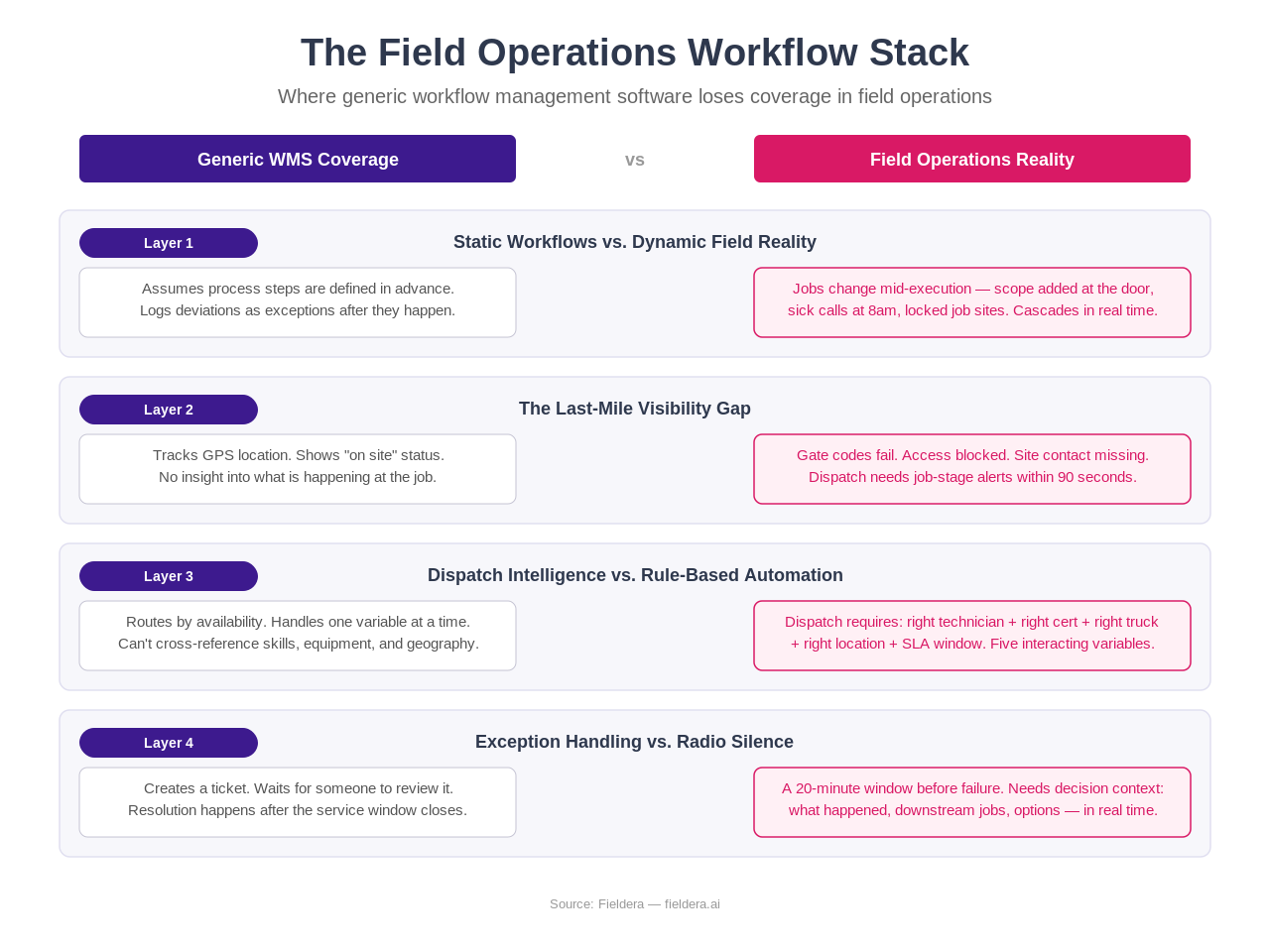
Layer 1: Static Workflows vs. Dynamic Field Reality
Generic workflow tools assume the process you defined on Monday is the process that runs on Friday. Configure the steps, set the rules, and the system executes.
Field service runs on a different clock. A 30-minute job becomes 70 minutes when a customer adds scope at the door. A technician calls in sick at 8am. A job site is locked until a permit clears.
Emily Demirdonder, Director of Operations and Marketing at Proximity Plumbing, describes what happens when dispatch finds out about a problem after the fact: "The tech runs out 40 minutes over on a blocked drain. Dispatch finds out when the next customer calls wondering where we are. At that point you're not doing schedule management anymore. You're doing damage control."
One job running 40 minutes long doesn't affect just that job. It cascades into 2 or 3 jobs behind it. Generic workflow software records that the exception happened. The cascade continues.
Layer 2: The Last-Mile Visibility Gap
Most workflow tools — and most basic FSM platforms — track job location via GPS. The technician is "on site." The map dot is green.
That tells dispatch nothing about what is actually happening at the job.
Eliot Vancil at Fuellogic described the specific problem: "In the last 20 minutes, dispatch is looking at a map dot that says 'on site' with no idea there is anything wrong. That 20-minute window is where service breakdowns come from. Every re-dispatch, every missed window, and every customer escalation that we've ever had can be traced back to something that happened in that stretch."
His proposed fix is concrete. If a field worker arrives on-site and hasn't verified access and site conditions within 90 seconds using a structured prompt, dispatch should know about it without waiting for a phone call. That single change, he says, would reduce re-dispatch incidents, cut average exception resolution time, and eliminate the biggest variable in whether a delivery is completed on the first attempt.
Generic workflow software has no mechanism for this. It sees a status change. It can't see what caused the status change.
Layer 3: Dispatch Intelligence vs. Rule-Based Automation
Generic WMS automates routing well when variables are simple: previous task is done, this person is available, assign the next task.
Field dispatch is a different matching problem. "Available" means the right technician, with the right certifications, carrying the right equipment on the truck, who can reach the job site within the SLA window given current traffic. That's 5 interacting variables, and most dispatch teams work through them manually because their workflow tool doesn't hold all of them.
Charlie, former VP of Services at IFS and founder of Clear Solutions, a field service consultancy in Houston, describes why this creates long implementation cycles: "We want to understand the business, and then we do some configuration, and then there's a lot of back and forth tweaking things to get to where they need to be." For companies with 100 to 200 people, that process takes 12 to 18 months.
The bottleneck is the gap between what the software's data model can represent and what the operation actually needs.
Layer 4: Exception Handling vs. Radio Silence
In office workflows, an exception creates a ticket. Someone reviews it, resolves it, and the process continues.
In field operations, an exception has a 20-minute window before it becomes a service failure. The technician needs a decision. The next customer needs rescheduling. Dispatch needs context. Three things have to happen at once, and the clock is already running.
Generic workflow tools create a ticket.
Field-specific workflow systems, when designed correctly, close the communication loop before the window closes. The exception triggers an alert with enough context for dispatch to act: what happened, where, which jobs are downstream, and what options exist.
That difference runs deeper than features. Office workflow software was designed to document and route. Field workflow software has to respond.
What Proper Field Workflow Management Looks Like
SafeRacks installs home storage systems using independent contractors across multiple US markets. Their previous platform was a WordPress patchwork: booking, routing, payments, and scheduling spread across third-party components assembled over years. Scheduling a single appointment took 20 minutes. Their average appointment cancellation rate was 29%.
After moving to a purpose-built system, scheduling time dropped from 20 minutes to 4 minutes per appointment. The improvement came from a system designed around the actual roles and data dependencies in a field installation business: installer routing, truck inventory, payment splits, customer sign-off, and market-specific pricing rules all connected in one place.
That's what field workflow management is for. Holding together the operational reality of a job that moves through multiple people, multiple locations, and multiple systems before it closes.
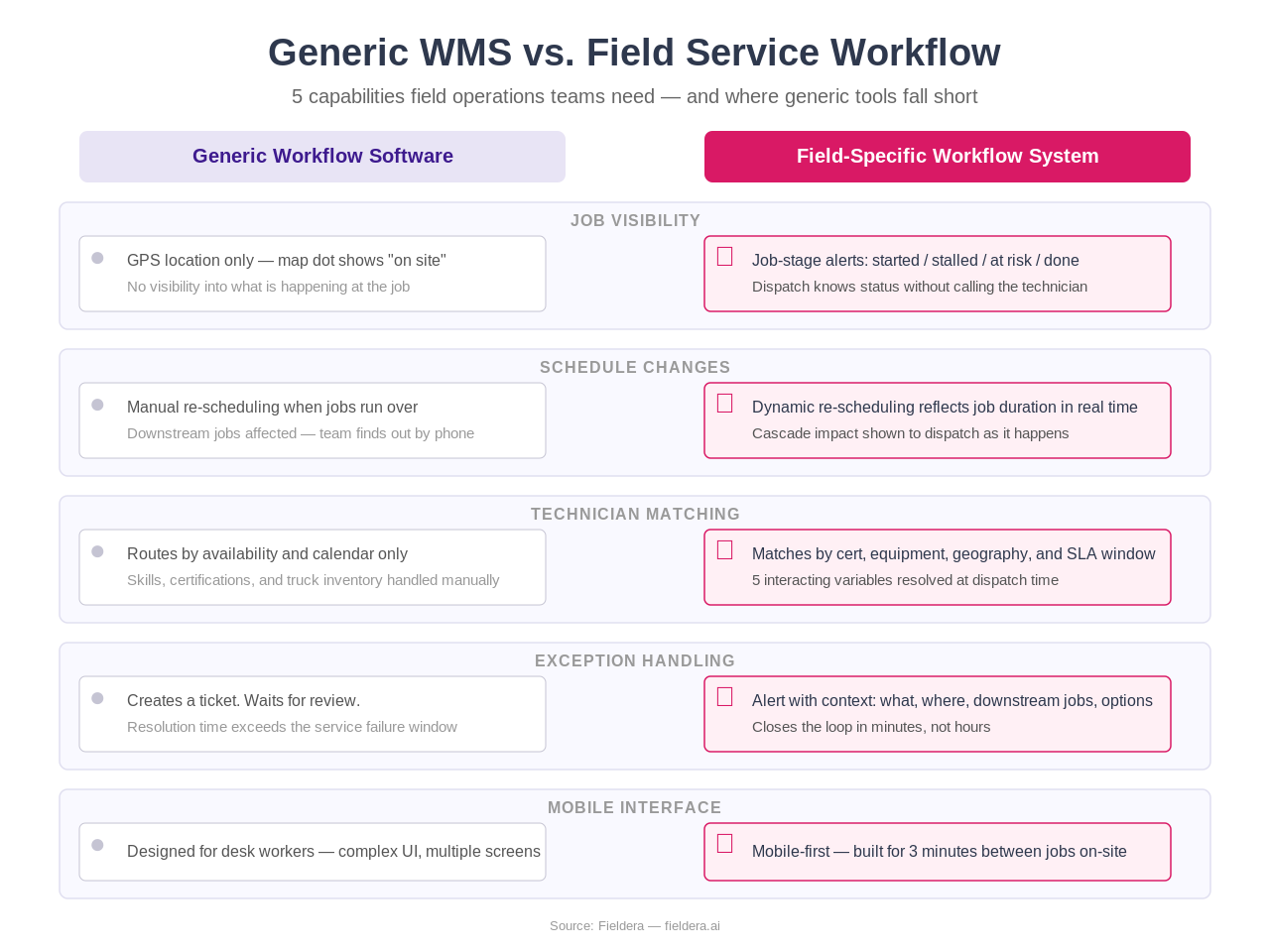
The capabilities that separate field-specific workflow tools from generic WMS:
- Real-time job-stage visibility — not GPS location, but actual job state: started, stalled, at risk, completed
- Dynamic re-scheduling that reflects job duration changes as they happen, not after the fact
- Technician and skill matching at dispatch time, with certification and equipment variables built into routing logic
- Mobile-first interface designed for a field worker with 3 minutes between jobs, not a desk worker with a second monitor
- Exception alerts with decision context — what happened, downstream impact, available options
How to Evaluate Workflow Software for Field Operations
1. Does it show job stage or just job location? GPS is table stakes. Ask the vendor to show you what dispatch sees when a job is running 30 minutes over. If the answer is a map dot, that's a Layer 2 problem waiting to happen.
2. How does it handle a job that runs over? Walk through the scenario: a technician is 40 minutes past scheduled end time. What does the system show dispatch? What happens to the 2 jobs scheduled after? If the answer is "dispatch gets a notification" with no cascade logic, the team is still doing damage control manually.
3. Can it match technicians based on skills and equipment? If your operation has certified technicians, equipment-specific work orders, or compliance requirements, test whether the tool filters by these variables at dispatch time, not just availability.
4. What is the exception resolution path? Ask the vendor to walk through what happens when a field worker reports a job can't proceed. How long before dispatch gets context? What information arrives? What can they do from that screen?
5. Who was this built for? Look at the vendor's reference customers and case studies. If the examples are marketing teams, IT departments, and HR operations, the product's design decisions reflect those use cases. Field service tools should have field service operators in their reference base.
Frequently Asked Questions
What is workflow management software? Workflow management software automates the sequence of steps in a business process, routing tasks, triggering notifications, enforcing handoffs, and escalating exceptions when deadlines are missed. The software handles the coordination so teams don't have to track it manually.
How does workflow management software work? Most systems use if/then logic: when a step completes, the system triggers the next one based on predefined rules. More advanced systems layer in conditional routing, approval chains, and time-based escalations.
What is the difference between workflow management software and project management software? Project management software tracks work with timelines, milestones, and resource allocation. Workflow management software focuses on process execution: routing work through defined steps and automating the handoffs between people. Many tools now combine both, though the emphasis differs.
Is workflow management software the same as field service management software? These are separate categories. General WMS was built for office-based, predictable processes. Field service management (FSM) software was designed specifically for operations with field workers: scheduling, dispatch, job tracking, inventory, and mobile access built around that context. A company running field operations will generally find FSM a closer fit than general WMS.
What features matter most for field service workflow management? Real-time job-stage visibility, dynamic re-scheduling, technician and skill matching at dispatch, exception alerts with context, and a mobile interface designed for people working on-site. These are the capabilities generic WMS tools typically don't include because they were built for a different kind of work.
Why do field service teams struggle with generic workflow software? Generic WMS was built around predictable, desk-based processes. Field operations are open-loop: jobs change based on what a technician finds on-site, and the critical failures happen in the last 20 minutes of a job when dispatch has no visibility into what's happening. Workflow tools built for approval chains and task routing don't have the data structure to handle that.
How do you choose workflow management software for a field operations team? Start with the exception handling path. Ask how the tool responds when a job can't proceed, how quickly dispatch gets context, and what happens to downstream jobs. A tool that creates a ticket and waits was designed for office work. A tool that closes the loop in real time was designed for field work.
The Right Tool for the Right Problem
Workflow management software is a mature, capable category. For teams managing approvals, handoffs, and process documentation across office or remote work, tools like Asana, Wrike, and Monday.com do the job well.
Field service teams have a harder problem. The process runs across job sites, technician trucks, customer locations, and dispatch screens, and the critical failure points happen outside any screen. The last-mile visibility gap is real, and it requires a different kind of software to address.
Fieldera is built around exactly that problem. AI-configured to your specific dispatch rules, technician certifications, and compliance workflows, and deployed in 4 to 5 weeks rather than 18 months. If you're running a field operations team and hitting the limits of generic workflow software, talk to the Fieldera team.
Fieldera is an early-stage field operations platform developed by Brocoders, an Estonia-based software development company. Fieldera is currently looking for design partners in the US and Europe.
Fieldera is a field operations platform built by Brocoders, configurable to your exact dispatch rules, contractor processes, and compliance requirements — deployed in weeks, not months.
Talk to us about your operation →